The Whiteboard That Fired My Video Editor
I kept losing forty minutes to captions and cropping after every client walkthrough, until I built a whiteboard that records, transcribes, and exports itself.
I was three tabs deep trying to record a five-minute walkthrough for a client. Excalidraw open in one tab for the diagram, QuickTime running in the background for the screen capture, and a sticky note on my monitor reminding me to talk slower because the last take had no captions and the client’s team lead is hard of hearing in one ear. I finished the recording, opened it in a video editor, and spent the next forty minutes burning in a subtitle track by hand for a clip that was supposed to take five.
That wasn’t a bad day. That was a normal Tuesday. I’d been doing some version of this for months — sketch, record, edit, apologize for the delay — and every time I told myself the next one would be faster, and it never was.
Why nothing off the shelf fixed it
I’d looked at the obvious options before, more than once. Loom is built for exactly this kind of walkthrough, but it uploads to Loom’s cloud the second you stop recording, and half of what I sketch for clients is architecture I have no business putting on someone else’s server mid-draw. Excalidraw plus OBS solves the drawing and the recording separately, which means two apps, two sets of settings, and captions that don’t exist unless I add a third tool for them. Miro and Whimsical do the whiteboard, occasionally the recording, never the whole chain at once, and always behind a subscription that assumes a team, not one person recording a client call alone.
None of those were wrong, exactly. They were each built to solve a piece of the problem I had, and the piece missing was always the one I needed that week. What I actually wanted was smaller and more specific than any of them offered: draw, talk, and get a finished video, in one place, without anything leaving my machine until I choose to export it.
By the time I sat down to build it, the decision wasn’t really a decision. I’d done the manual version of this workflow often enough that the forty minutes of post-editing had stopped feeling like a one-off tax and started feeling like a bug in how I worked. Building the fix took less time, cumulatively, than living with the workaround for another quarter would have.
What it turned into
I started from an empty repo on February 6th and had something I was using on real client calls nine days and seventeen commits later. Excalidraw does the whiteboard part — full sketching, shapes, frames, no login wall — better than I’d ever build myself, so I left that alone and built everything around it. It’s live now at video.ranbot.online.
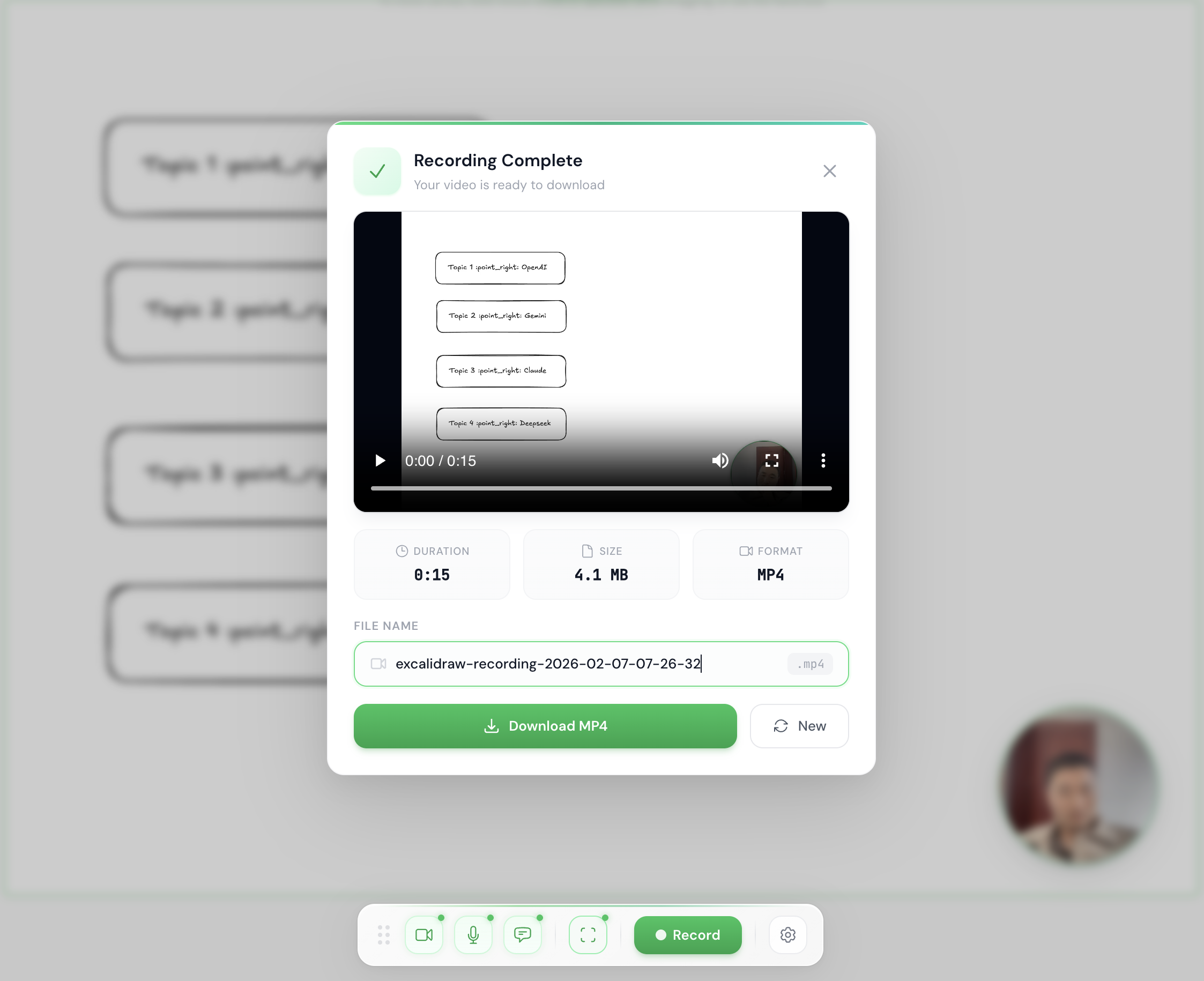
What’s actually in it
- The whiteboard itself — full Excalidraw: shapes, freehand drawing, frames, no login wall.
- A camera bubble you drag anywhere on the canvas, resizable from the settings panel.
- Live captions transcribed from your own voice as you talk, not added afterward.
- Cursor highlighting and spotlight effects for the moment you’re pointing at something specific.
- Aspect ratio presets — 16:9 for YouTube, 9:16 for TikTok or Shorts, square, or a custom crop.
- Presentation mode that turns Excalidraw frames into fullscreen slides, arrow keys or swipe to move between them.
- One-click export straight to MP4 or WebM, no upload step in between.
- Everything client-side — the drawing, the camera feed, the transcription, the encoding, all of it happens in your browser. Nothing leaves your machine until you hit export.
Getting the canvas, the camera feed, and the floating caption text to land in the same exported file — rather than three separate things that happen to be visible on the same screen — was the one piece that took real engineering. The short version: none of it becomes a video until you deliberately draw all three onto one shared canvas and record that instead of the page itself. Get that wrong and the recording looks perfect on your screen while the camera bubble is simply absent from the exported file, which is exactly the kind of bug you only discover after you’ve already sent the video.
The tool told me what it was missing
The last few commits, on the 15th, added a presentation mode — Excalidraw frames turned into fullscreen slides you can step through with arrow keys or a swipe. That wasn’t in any plan. It came from using the thing myself for a week and noticing that half of what I record for clients isn’t “watch me draw live,” it’s “here are four boards I already sketched last night, let me walk you through them.” I hadn’t built for that case because I hadn’t yet lived it enough times to notice it was a separate case. Once I did, it was an easy add — Excalidraw already organizes drawings into frames, I just hadn’t pointed the recorder at that structure yet.
That’s the pattern the whole project followed. Every feature came from hitting the same wall twice, not from a spec. The circular camera bubble exists because a rectangular one kept covering corners of diagrams I needed visible. The caption-clearing logic exists because early captions piled up into an unreadable wall of text the first time I actually talked for more than thirty seconds straight. None of it was designed in advance. All of it was a direct fix for something that had just annoyed me.
What actually changed
I stopped opening QuickTime. Every client walkthrough and internal demo I’ve recorded since February 15th has come out of one browser tab, captions and camera included, with no editing pass after. That’s the whole practical win, and it’s a bigger one than it sounds — the editing step wasn’t adding polish, it was cleaning up work the recording step should have gotten right the first time.
What stuck with me more is realizing how long I’d tolerated a workflow that was obviously wrong just because each individual piece of it — a whiteboard app, a screen recorder, a caption tool — worked fine on its own. The problem was never any single tool. It was that I’d never questioned why they had to be three tools. The code’s on GitHub if you want to see how it fits together, or just want a whiteboard that doesn’t hand you off to a second app the moment you hit record.